The problem
Building works. Publishing doesn’t.
Your agent writes a good site in minutes. Then the technical part starts. With VORREN, it’s gone:
- Hosting contract
- Server setup
- Dockerfile
- nginx
- SSL certificate
- Git and deploy pipeline
- Caching and security headers
- Site builder that won’t take your code
How it works
Online in three steps.
- Once, 2 minutes
Step 01: Connect your agent
Create an account, add the VORREN address in your agent, approve once in the browser.
- As long as your conversation
Step 02: Say what you want
Your agent gets the rules from VORREN, builds, checks and uploads. You get a preview address.
- One sentence
Step 03: Approve
If you like the preview, you say “Publish it”. You connect your domain once in the dashboard.
Once
Connect your agent.
You create an account and confirm your email address. Then you connect your agent to VORREN, most easily right in Claude Desktop or ChatGPT Desktop, no terminal needed. It takes about two minutes.
Works on every plan; on the free plan you can add one custom connector of this kind. On Team and Enterprise, an owner first sets up VORREN under “Organization settings > Connectors” (Add → Custom → Web). Then each member clicks “Connect” on VORREN under “Customize > Connectors”.
- 1Open Claude Desktop, go to Customize > Connectors, click + Add and then Add custom connector.
- 2Enter VORREN as the name, add the URL
https://mcp.vorren.de/mcpand click Continue. For authentication, choose Sign in now and click Add. - 3Sign in to VORREN in the browser and allow access.
- 4In the chat, click + at the bottom left, then Connectors, turn on VORREN and ask Claude to build a site.
In the chat your agent has no folder on your computer and uploads the files directly. You upload images, videos and fonts in the dashboard under Media and give your agent the address.
Only works with ChatGPT Business, Enterprise and Edu. On Pro, ChatGPT can only read from custom MCP servers and can’t publish anything with them. In Business, someone with the admin or owner role sets up VORREN and enables it for the workspace. You set up VORREN once, in the browser on chatgpt.com.
- 1Open chatgpt.com/plugins in the browser, click the plus button and then Add custom MCP server.
- 2Enter VORREN as the name and add the URL
https://mcp.vorren.de/mcpunder Connection. Under Authentication, choose OAuth. - 3Read the risk warning, select I understand and want to continue and click Create as a plugin.
- 4Start a new chat in ChatGPT Desktop, type @ in the input field and choose VORREN. The first time, you sign in to VORREN in the browser and allow access.
In the chat your agent has no folder on your computer and uploads the files directly. You upload images, videos and fonts in the dashboard under Media and give your agent the address.
For agents that can connect MCP servers with sign-in (OAuth), such as Claude Code, Codex CLI or GitHub Copilot in VS Code on your computer. Your agent then works in a project folder on your computer.
- 1Add the URL
https://mcp.vorren.de/mcpas an MCP server in your agent (transport over HTTP). In Claude Code, use the command below in the terminal. - 2In GitHub Copilot in VS Code, open the command palette, choose MCP: Add Server and then HTTP, enter the URL and name the server vorren. In the chat, choose Agent mode. If you use Copilot through your company, the “MCP servers in Copilot” policy must be turned on there.
- 3On the first call, you sign in to VORREN in the browser and allow access.
claude mcp add --transport http vorren https://mcp.vorren.de/mcpVORREN doesn’t work with Microsoft 365 Copilot or the Windows Copilot app. They don’t let individuals add their own MCP servers.
The process
What your agent does with VORREN.
You don’t need to know the tools. Your agent reads the VORREN instructions and sticks to this order.
- 1
Read the rules
Your agent gets the guidelines: how a project is structured, which files are allowed, which limits apply.
get_guidelines - 2
Create the project
VORREN creates the project and gives your agent a skeleton with a home page, legal notice and privacy policy. With Claude Code, the files end up in a project folder on your computer.
create_project - 3
Build and upload
Your agent builds the site and sends only the files that changed.
upload_fileslist_files - 4
Check
VORREN checks everything against the rules. If it finds something, it tells your agent the file, the reason and the fix.
validate - 5
Build the preview
The changes become a new version and a preview address. Your agent shows it to you and asks whether it should go live like this.
deploy_previewget_deploy_status - 6
Connect a domain
Once, in the dashboard: enter the domain, set the records shown at your domain provider, have them checked. The HTTPS certificate comes automatically.
Dashboard - 7
Go live
If you say yes, your agent publishes the version. If you don’t like it later, one sentence takes you back.
publishrollback
Examples
How you talk to your agent.
Plain sentences are enough. The more precisely you describe how the site should feel, the better the first draft.
“Build me a landing page for my photo studio in Leipzig: calm, lots of white space, a gallery with six images and a section with prices. Put it online as a preview.”
“Make the heading bigger, swap the order of prices and gallery and build a new preview.”
“I don’t like the latest version. Put the previous one live again.”
What VORREN takes care of
You deliver the content. VORREN runs it.
Preview
An address to view and share.
Every project gets its own random address on vorren.io. It always shows the latest state your agent uploaded.
- Built in about 15 seconds
- Same address for all previews of a project
- Reveals neither your name nor your project
- Blocked for search engines
Spaces that last.
Interior design for apartments and small shops in Leipzig.
Versions
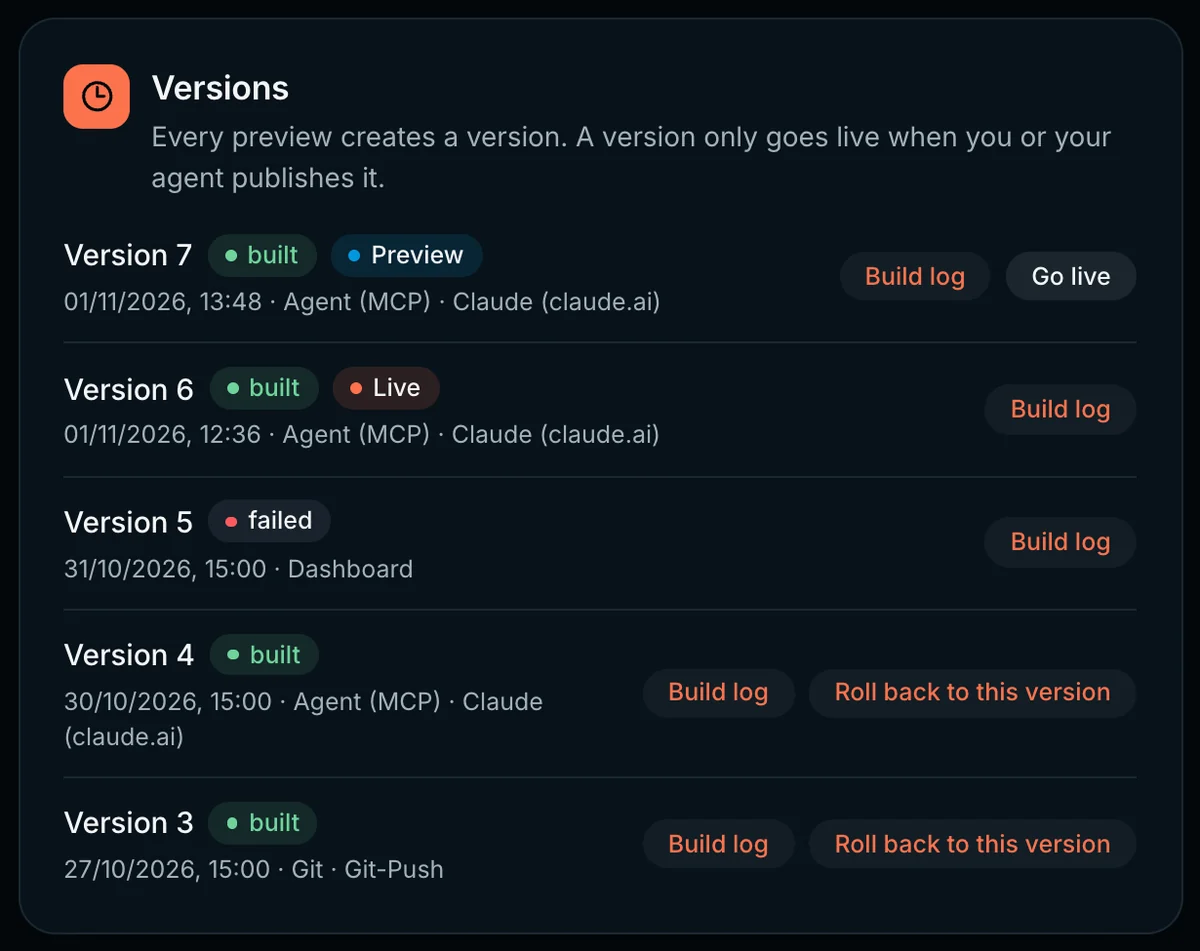
Every preview is a version.
VORREN keeps every version of your site. Only what you approve goes live. And if something goes wrong, one sentence brings back the previous version.
- Goes live only after your okay
- Back to any earlier version
- Build log for every version
- With Claude Code, the files stay on your computer
Your own domain
Your domain, with HTTPS.
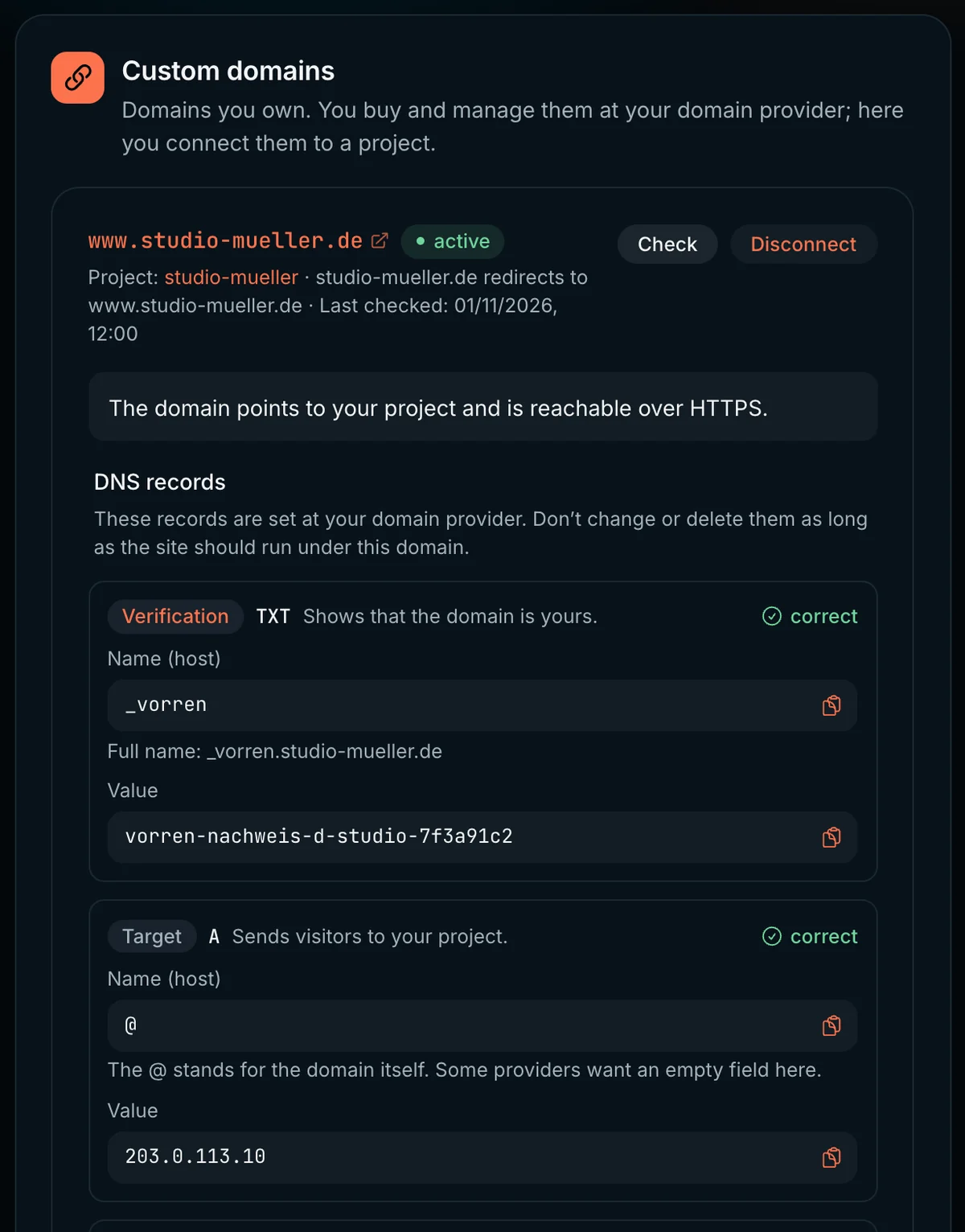
Your site goes live on your own domain. You enter it in the dashboard, set the records shown at your provider, and VORREN checks them directly with the name servers.
- Proof that the domain is yours
- Records to copy, checked with one click
- VORREN gets the certificate itself
- With or without www
Checks
Errors your agent understands.
Before a version is created, VORREN checks the files against clear rules. If something doesn’t fit, your agent gets the file, rule, reason and fix, and corrects it itself.
- Written for agents, not for admins
- Catches API keys before they go online
- Rejects server files that would have no effect
// Response from validate, just as your agent gets it
{
  "ok": false,
  "findings": [{
    "file": "Dockerfile",
    "rule": "ops_file",
    "message": "vorren provides Dockerfile, compose file and
      nginx configuration itself; this file would
      have no effect.",
    "fix": "Delete the file (delete_files)."
  }]
}
Dashboard
Everything at a glance, in the browser.
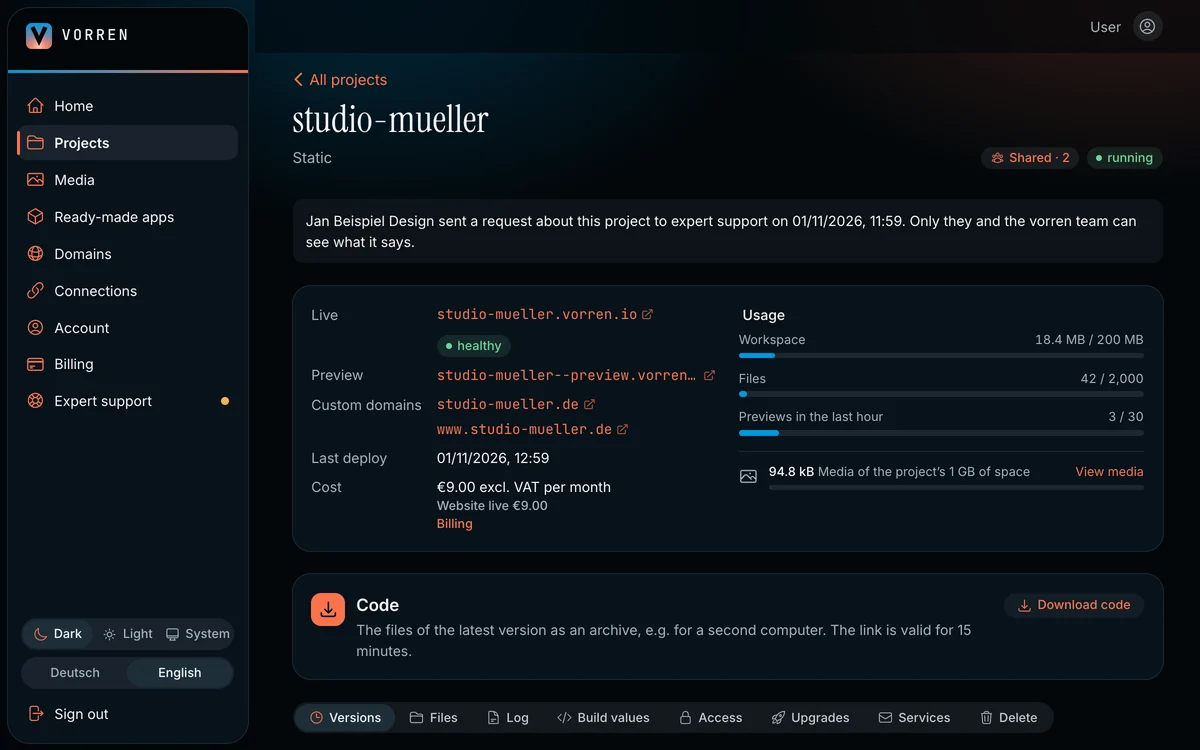
In the dashboard you see your projects, versions and domains. It’s also where you do what shouldn’t go through the chat: connect domains, delete projects, disconnect agents.
- Projects with status and usage
- Log of every action your agent takes
- Connected agents, disconnect with one click
Operations
Operations like an agency’s.
VORREN uses the same server templates as the client projects of Think Internet. You send only content, VORREN adds the rest at build time.
- No Dockerfile, no nginx configuration
- No hosting account, no server updates
VORREN sets up for you
- Web server
nginx from proven templates, without root privileges - HTTPS
Certificate from Let's Encrypt, renewed automatically - Caching
Pages for an hour, images and fonts for 30 days, built files with a hash for a year - Security headers and gzip
for every site, no configuration - Limits
Memory and CPU per site, so no site slows down the others
Website or app
What VORREN can do today.
Better honest than disappointing.
Static websites
Sites made of HTML, CSS and JavaScript. Landing pages, portfolios, small sites with several subpages.
Projects with a build step
React, Vue or Svelte with Vite. Your agent delivers the source code, VORREN builds it.
Backends and databases
Forms, logins and your own data. Your agent describes data models and interfaces, VORREN provides the server and database.
Not planned: selling domains. Your domain stays with your provider.
Start from a template: Business card, Portfolio, Local business, Event. Your agent finds them in VORREN and builds your site from them. You’ll find ready-made apps with a backend under Ready-made apps, and tools for your working day to rebuild under Ideas.
Who it’s for
For everyone who builds with AI and doesn’t want to host.
Designers and creatives
You design, your agent builds it. Portfolio, studio site, project page: online without asking a developer.
Freelancers and small agencies
Drafts as a real site instead of a screenshot. The preview address goes straight to the client.
Teams with small sites
A landing page for a campaign, a page for an event: built yourself and online the same day.
Build times measured on October 19, 2026 with static sites.
Good to know
Where your files live.
Every preview is saved
With Claude Code, your agent works in a folder on your computer; in Claude Desktop and ChatGPT Desktop it sends the files directly. VORREN stores every version you build as a preview.
Changes expire after an hour
Uploaded files that haven’t become a preview yet are discarded by VORREN after an hour. Your agent simply uploads them again.
No credentials in the site
Whatever reaches the browser is readable by everyone. VORREN detects API keys in your files and rejects them. You enter keys for a backend yourself in the dashboard.
One project is free. Live from €39 for 5 slots plus €9 per website or €49 per app a month.
Go to the price calculatorExpert support
Real developers on your side.
Your agent gets far, but not always all the way. Then the developer team behind VORREN helps you: with questions about the process as well as with changes to your site.
- Answers from developers, not from a chatbot
- Help with connecting, domains and error messages
- Changes right in your project
- The same team that builds and runs VORREN
In the dashboard, for everyone with a VORREN account. We answer in English or German.
Example from support
My agent can’t get the menu right on mobile. Could you take a look?
Developer at VORREN
Sure. We fixed the menu in your project, and the new preview is ready. Take a look and approve it if it works for you.
New preview built · Version 8
Your next site is one conversation away.
Create an account, connect your agent, start building. Your first project is free; you only pay when you want more or go live.
Want to read up first? Our guides show how it works.